
Export
Frameglyph uses FFmpeg to export videos with burned-in annotations.
Prerequisites
FFmpeg must be configured before exporting. See Installation.
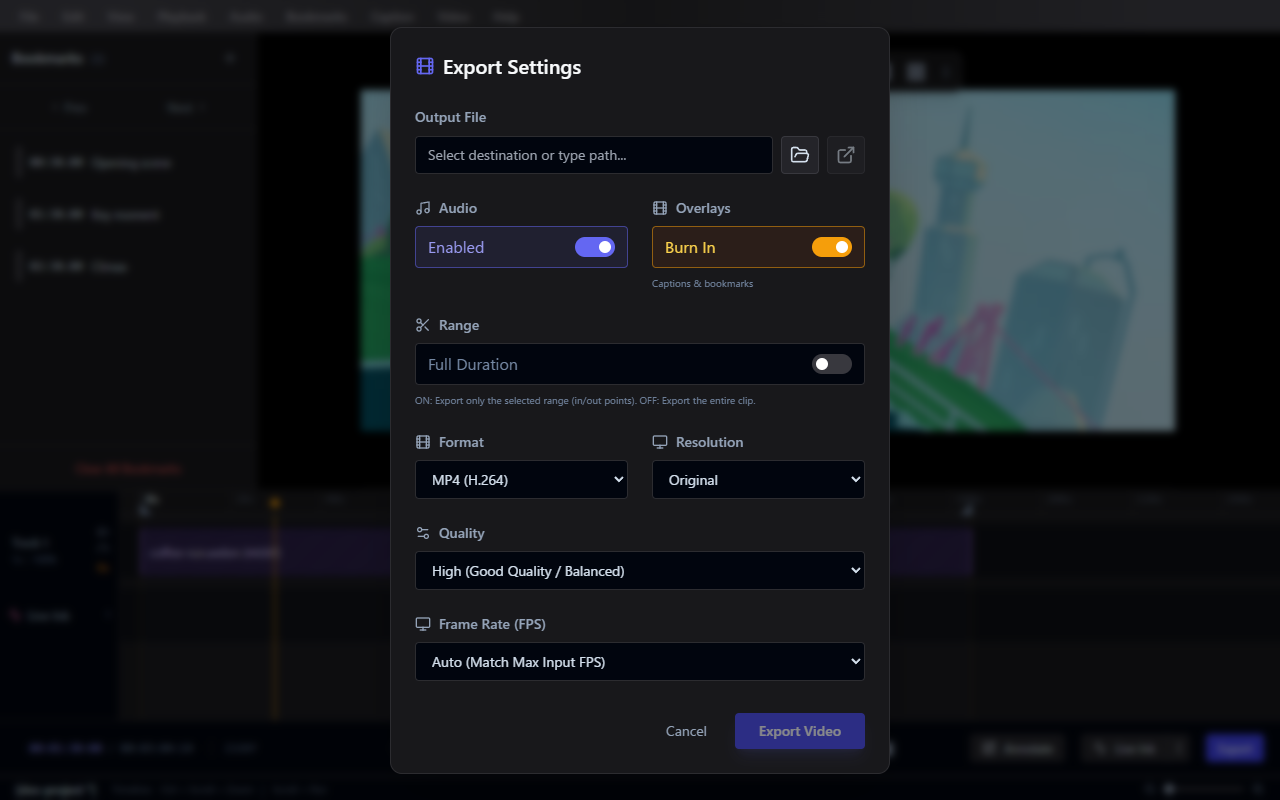
Export Formats
| Format | Description |
|---|---|
| MP4 (H.264) | Standard video format, widely compatible |
| WebM (VP9) | Open format, good compression |
| GIF Animation | Animated GIF, no audio support |
| APNG Animation | Animated PNG, better quality than GIF, no audio support |
| PNG Sequence | Lossless image sequence |
| JPEG Sequence | Compressed image sequence |
| WebP Sequence | Modern image sequence format |
Export Settings
Resolution
Choose from Original, 1080p, 720p, or 480p.
Frame Rate (FPS)
Select from standard frame rates (24, 30, 60, etc.) or use Auto (Match Max Input FPS) to inherit the source video's frame rate.
Quality
- Raw: Highest Quality / Large File Size
- High: Good Quality / Balanced
- Medium: Standard / Smaller Size
- Low: Draft / Smallest Size
Range
- Full Duration: Export the entire clip
- Selection Only: Export only the selected range (In/Out points)
Overlays
Toggle whether Captions, Annotations & Live Ink are burned into the output video.
GIF and APNG Tips
WARNING
GIF and APNG files can become very large. For best results:
- Use low resolution (480p)
- Use low frame rate (10-15 fps)
- Keep clips short
- Audio is not supported in these formats