Annotations
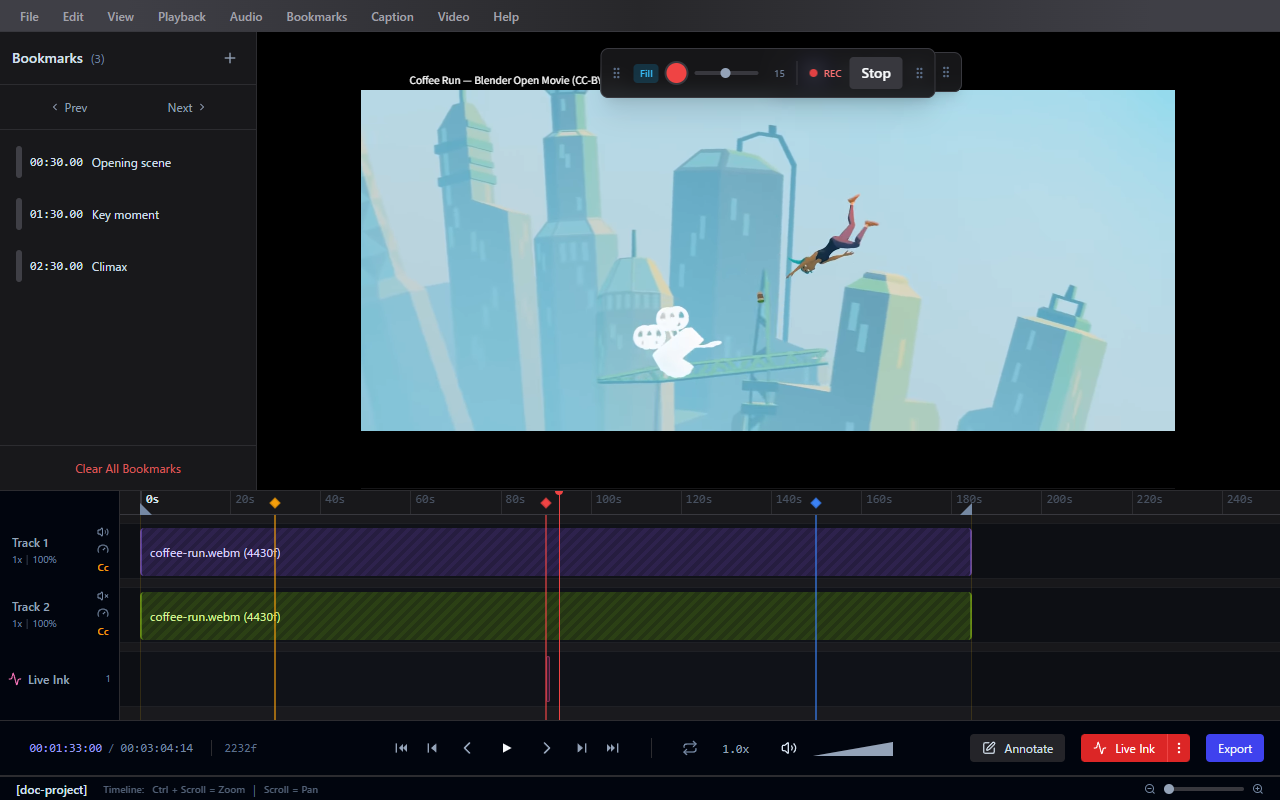
Frameglyph provides a suite of drawing and text tools to annotate directly on your video frames.
Drawing Tools
The following tools are available in the Annotate workspace (accessible via the Layout panel):
Live Ink (Freehand)
Select Freehand to draw organically on the video canvas. Strokes are recorded with timing data and play back in sync with the video.
- Tip: If you use a tablet, Pressure Sensitivity is supported (enable in Preferences > Appearance).
- Live Ink Options: You can configure the video to Auto-play video on Live Ink start or Record Motion Strokes from the Live Ink settings.
Shapes
Draw precise shapes: Rectangle, Circle, Arrow, and straight Lines. Useful for highlighting specific areas or directing attention.
Text & Eraser
Use Text to place labels anywhere on the frame. Use the Eraser tool to remove specific strokes or annotations.
Working with Annotations
- Annotations are tied to specific frames and time ranges via keyframes.
- Use Select & Edit to move, resize, or delete annotations.
- Use Clear All to quickly remove everything on the current frame.
- Undo and Redo are fully supported for all drawing actions.
Style Editing
Each annotation supports customizable styles from the toolbar:
- Outline Color and Width for drawings and shapes
- Font, Size, and Text Color for text
- Toggle Outline and Toggle Fill options
- Background color and Opacity
Keyframes
Annotations can be animated across frames using keyframes on the timeline. This allows annotations to appear, move, or disappear at specific points in the video.