Introduction
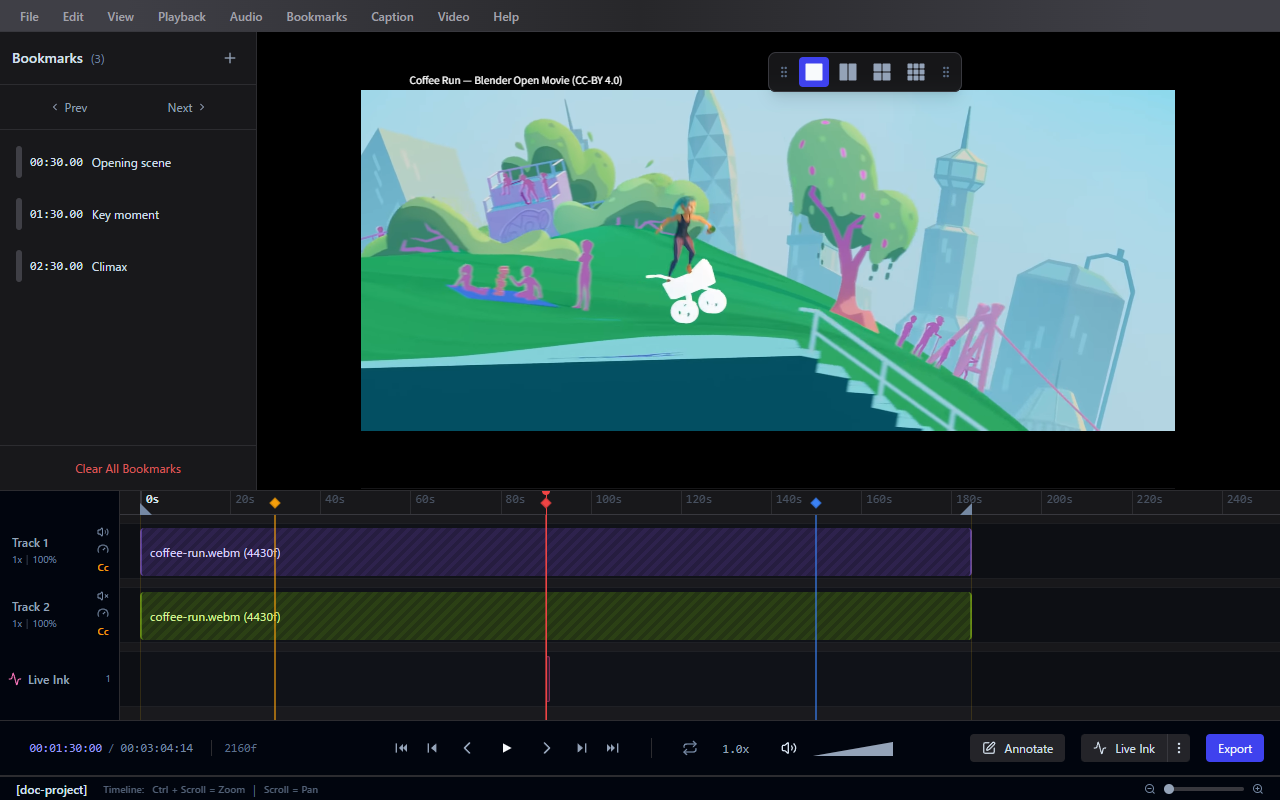
Frameglyph is a precision video review and annotation application for Windows. With frame-accurate playback, expressive drawing tools, and powerful export capabilities — it is designed to streamline the feedback workflow for animators, game developers, and video reviewers.
Key Features
- Video Playback — Frame-by-frame navigation, variable speed, audio scrubbing, loop controls
- Annotations — Freehand drawing (Live Ink), pressure sensitivity, shapes, text overlays
- Timeline — Bookmarks, range selection, keyframe and track management
- Export — MP4, WebM, GIF, APNG, and image sequences with burned-in annotations
- Multi-Video Comparison — View up to 4 videos in configurable layouts (1x1, 2x1, 1x2, 2x2)
- Screen Capture — Built-in recording with direct import into your review session
- Project Management — Save and load your review sessions
Getting Started
- Install Frameglyph
- Import a video and start reviewing
- Add precision annotations and Live Ink
- Export your annotated video
Continue to Installation to set up Frameglyph.